What are AI game assets?
They are visual building blocks such as character sprites, props, environments, UI elements, and item sets created for a shared game world.
Game assets
Develop characters, props, environments, UI assets, and item sets from a shared visual direction. Refine the anchor, keep the world coherent, and carry every useful result into the next asset.
The game asset workflow
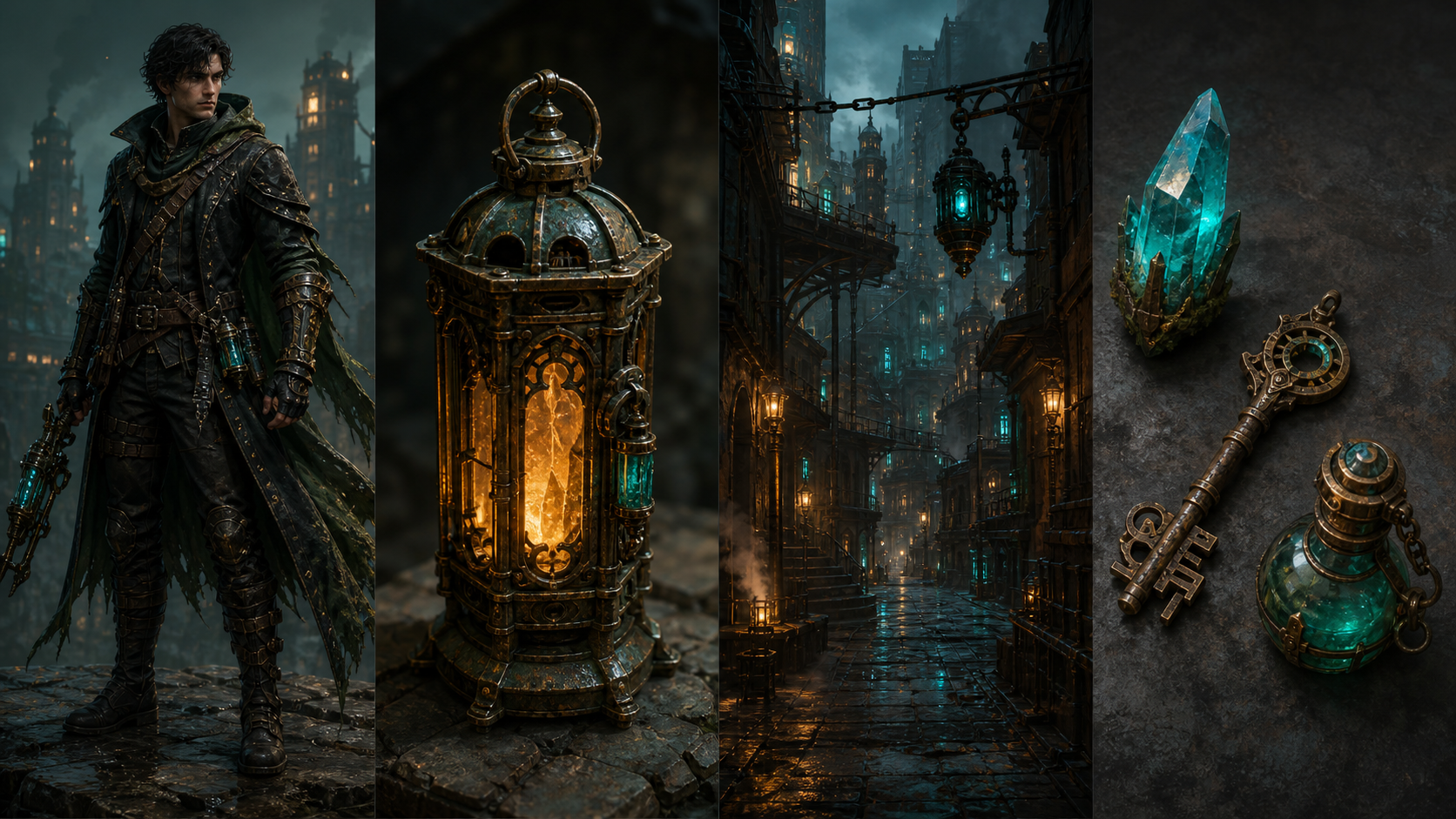
One world. Many assets.
A useful anchor does more than look good once. It gives the next character, prop, scene, and item a material language to answer to.
What it is
AI game assets are visual building blocks for a world: characters, props, environments, UI, and item sets that belong together.
One world, many assets
Game work is a system of related visual decisions. A strong character should lead to poses, sprites, items, and scenes that feel like they share a language. Imagine Image helps you use references, edits, variations, and reuse to keep developing from the same direction.
Start with one useful anchor and make the next asset answer a real design need.
Build the set
Each asset type answers a different production question while staying connected to the world you are building.
Explore front, side, action, expression, and silhouette views from one identity.
Create weapons, tools, furniture, vehicles, and objects that carry the world’s materials.
Extend the world into rooms, landscapes, streets, maps, and story locations.
Develop icons, panels, buttons, inventory elements, and interface treatments with a shared language.
Build related objects that feel like they belong to the same collection, tier, or faction.
Preserve the visual language
A coherent game set repeats useful decisions about silhouette, scale, materials, palette, lighting, perspective, and atmosphere. Use references and precise instructions to carry those decisions into the next asset.
When an asset is close, edit the detail. When the direction is right, make a variation. When the set grows, use the strongest result as another reference.
Keep clear
How to create game assets
Keep each result useful for production by naming what belongs to the world and what the next asset needs to change.
01
Describe genre, era, materials, palette, atmosphere, and visual rules.
02
Start with the character, prop, environment, or item that defines the direction.
03
Fix shape, detail, costume, material, lighting, or the part that is not right.
04
Create new poses, props, environments, icons, or item variants from the direction.
05
Use variations and references to develop a coherent family of assets.
06
Carry the strongest result into the next scene, asset, or world-building decision.
Keep the character
Use a character reference to keep recognizable traits while the action, outfit, camera, and environment change.
Create consistent character assets →Keep the asset reusable
Create a transparent character, prop, or item asset for UI, inventory, sprites, overlays, and new scenes.
Create a transparent game asset →They are visual building blocks such as character sprites, props, environments, UI elements, and item sets created for a shared game world.
Define the world’s visual language, use references, state what must stay recognizable, and carry strong results into the next asset.
Yes. Start from a character or item reference, then ask for new views, poses, variations, materials, tiers, or related assets.
Refine a detail, create a variation, remove the background, extend the scene, or use the result as a reference for the next asset.
One world. Many useful assets.
Create the anchor, refine the identity, and keep building outward until the set is ready for the work.
Create a game asset